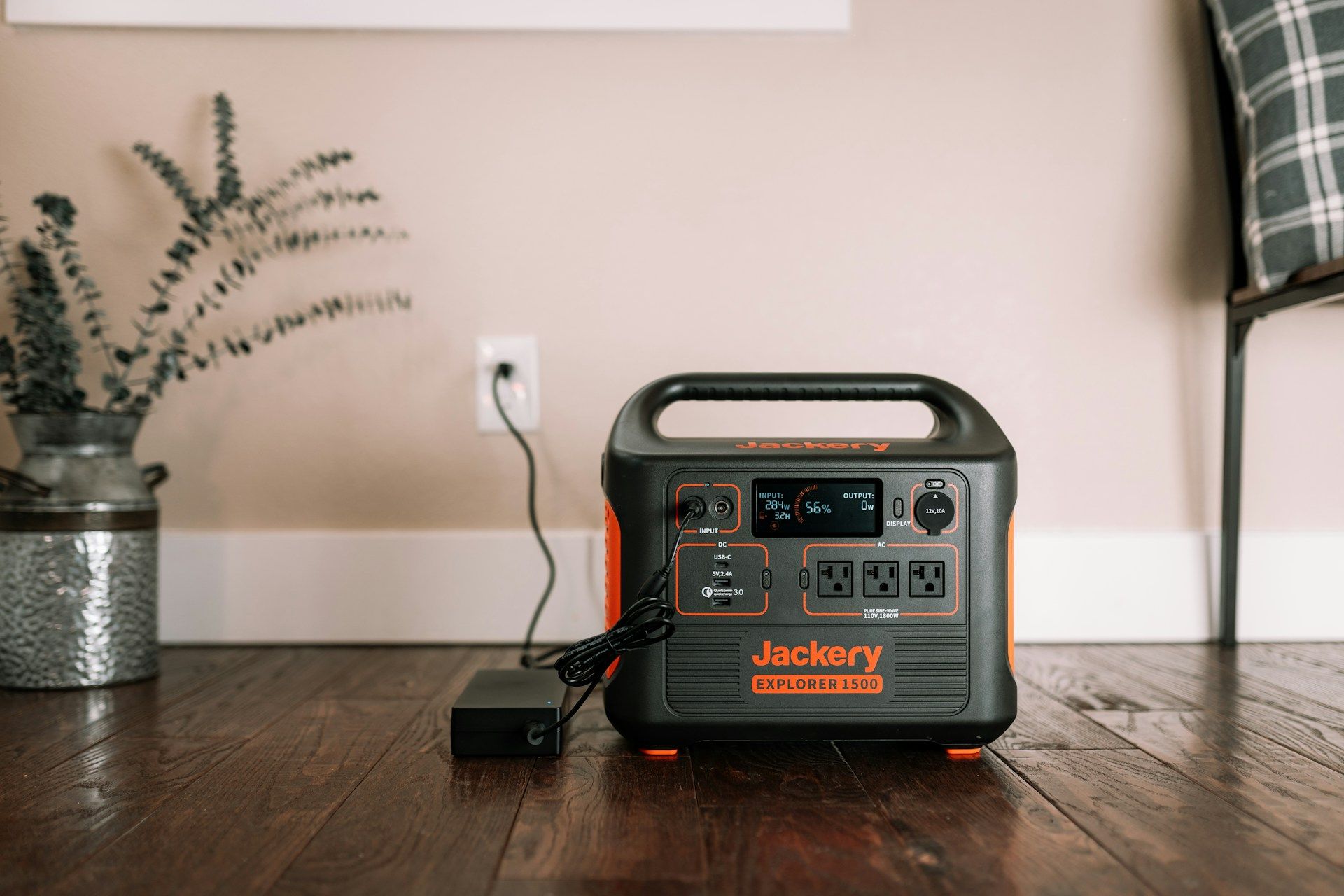


Powerwall by Tesla Energy is a popular home battery backup option for many reasons. It offers high peak and continuous power to run large loads, a seamless system design, and an intuitive app. It also delivers strong value for its power output compared to other options on the market. In this guide, we’ll walk through how it works, Powerwall model differences, installation considerations, and how it integrates with solar to support energy independence.
At PowerOutage.us, we’ve tracked every major outage event since 2016, covering 96% of U.S. customers. That outage history gives battery backup shoppers a concrete look at how long and how often power actually fails in your region.
What is a Tesla Powerwall?
The Tesla Powerwall is a residential energy storage system that pairs a lithium-ion battery with smart controls. Powerwall+ and Powerwall 3 integrate an inverter, while Powerwall 2 doesn’t. But regardless of the model, the Powerwall functions as a distributed energy resource in your home, charging from solar panels or the grid and providing backup power during outages. You can power just your essential appliances or an entire home with the Powerwall.
How do Tesla Powerwall models compare?
There are three main Powerwall models currently available: Powerwall 2, Powerwall+, and Powerwall 3.
Powerwall 2: Classic battery add-on
The Powerwall 2 is a strong option for retrofits and simple backup setups. It’s a 13.5 kWh AC battery, and it pairs well with the Tesla Gateway system. You can also integrate it into an existing solar setup. The Powerwall 2 uses nickel-manganese-cobalt (NMC) lithium-ion chemistry, which has high energy density and good thermal management. However, it has the lowest output of the three: 5 kW continuous and 7 kW peak (for 10 seconds).
Powerwall+: Integrates solar
This model adds a solar inverter within the unit itself, making it a simple way to start a solar-plus-battery installation or add storage to an existing solar system. If you don’t have solar, you don’t get much out of this that the Powerwall 2 doesn’t provide. It has the same capacity and output as the Powerwall 2.
Powerwall 3: High power for whole-home backup
While the Powerwall 3 still has 13.5 kWh of capacity, it has a much higher output and can handle more appliances with heavier starting loads. It can provide 11.5 kW of continuous power (more than double the Powerwall 2). Plus, it provides 185 LRA (locked rotor amps) to handle starting surges when the air conditioning kicks on, for example. A single battery can cover larger homes than the previous models.
Also, the Powerwall 3 uses lithium iron phosphate (LiFePO₄) chemistry, which is a little safer and has a longer lifespan. If you have a large home with significant energy consumption, you can add modular expansion units to increase Powerwall capacity while using the same inverter. You can add up to three units for a total of 54 kWh of capacity.
Powerwall 3
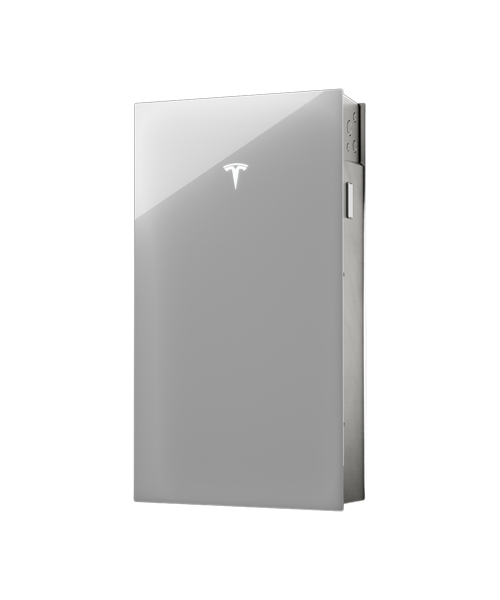
Tesla Powerwall 3 is a fully integrated home battery and solar system storing 13.5 kWh of energy, delivering 11.5 kW continuous power, whole home backup, and seamless outage protection all managed via the Tesla app.
Tesla Powerwall model comparison table
Here’s a quick overview of the differences between each model:
| Factor | Powerwall 2 | Powerwall+ | Powerwall 3 |
|---|---|---|---|
| Usable capacity (kWh) | 13.5 | 13.5 | 13.5 |
| Continuous power | 5 kW | 7 kW | Up to 11.5 kW AC |
| Peak/surge capability | 7 kW | 10 kW | 185 LRA load start |
| Battery chemistry | NMC | NMC | LFP (LiFePO₄) |
| Integrated inverter | No | Yes | Yes |
The data above is based on Tesla Powerwall datasheets and licensed installer information. Note that continuous power increases when you have a Powerwall plus a solar system and the solar panels are supplying energy directly to the home.
Tesla Powerwall pros and cons
Below are a few pros and cons according to Tesla Powerwall reviews on Reddit:
Pros
- Reliable automatic outage backup
- Strong TOU and peak-rate bill reduction in high-rate areas
- Virtual power plant and utility program payouts can improve ROI
- Great app monitoring and control
- Smooth integration with Tesla solar ecosystem
Cons
- Installation and interconnection delays are common
- Support experience can be inconsistent or slow
- Firmware and software updates can be buggy or confusing
- Some setups report noticeable fan noise under high load
- Some devices can behave oddly on backup power due to slightly different power quality
Tesla Powerwall reviews
Positive feedback frames the Tesla Powerwall lineup (Powerwall 2, Powerwall+, and Powerwall 3) as a low-touch backup system once commissioning is complete. Automatic outage switchover is a major benefit, and users like managing state of charge, solar flows, and reserve levels in one place through the Tesla app.
Economics depend on the utility: in time-of-use areas, owners report savings from peak shifting, while participants in Tesla or utility VPP programs (like ConnectedSolutions with National Grid or Eversource) often see payouts that improve ROI in the right markets.
Negative Reddit feedback focuses less on daily performance and more on system friction. Installation and PTO timelines can stretch for months due to permitting and utility interconnection, and Tesla support is often described as app-driven with slow escalation for nonstandard issues. Recurring edge cases include audible fan or hum noise at high output, occasional firmware or connectivity problems, and mismatched expectations when homeowners assume one or two Powerwalls will run heavy loads like air conditioning overnight.
How Tesla Powerwall works
Here’s how the Powerwall works:
- The Powerwall stores energy from the grid or panels with lithium-ion cells.
- A battery management system (BMS) regulates temperature, charging, and cell safety.
- An inverter converts DC energy into AC power so household circuits can use the energy.
- The Tesla Gateway monitors the grid and detects outages or voltage issues.
- During an outage, the Gateway isolates the home and directs stored power to essential loads, coordinating battery discharge and safe reconnection when grid power returns.
Tesla app smart energy management
Powerwall uses Tesla software to control when the battery charges and discharges based on your goals, along with certain conditions like electricity rates and the status of the grid. In the Tesla app, you can pick operating modes that prioritize time-of-use savings (charging when power is cheaper and discharging during expensive peak hours), peak shaving (reducing short, high-demand spikes from the grid), or backup reserve (holding a set percentage for outages).
The Tesla app pulls everything into one dashboard, showing real-time home consumption, solar production (if installed), Powerwall charge level, and power flow between solar, battery, your home, and the grid. It also sends alerts for events like outages, switching to backup, and battery reserve changes, so you can see exactly what the system is doing and why.
Besides that, you get historical charts, energy cost insights, system health notifications, remote monitoring, and outage alerts in the app.
Connecting to a solar panel system
Powerwall works with Tesla Solar Roof, Tesla solar panels, and many third-party solar systems. Powerwall 2 and Powerwall+ use AC-coupled battery designs (with Powerwall+ adding an integrated solar inverter). Powerwall 3 is built around a DC-coupled solar-and-battery architecture with AC output to the home.
What does this mean? Well, Powerwall 2 typically connects to solar through an external inverter, and Powerwall+ connects directly to panels using its built-in inverter hardware. Powerwall 3 can accept DC solar directly with fewer conversion steps, making it slightly more efficient.
How much does Tesla Powerwall cost?
Many homeowners pay roughly $10,000 to $16,000 per Powerwall installed, depending on the complexity of the job, local labor rates, and permitting requirements. Tesla Powerwall costs can rise if you need multiple units for whole-home backup, a Backup Gateway, or electrical upgrades like panel work, subpanel changes, or service equipment modifications. The final price often depends less on the battery itself and more on the site-specific electrical scope.
Incentives and tax credits
Batteries and solar-plus-storage systems can qualify for the federal Residential Clean Energy Credit if installed by a homeowner on or before December 31, 2025. After that, the credit phases out for homeowners.
However, businesses that offer power purchase agreements (PPAs) and solar leases can claim the credit through at least 2027. These companies could pass on the savings so customers benefit indirectly. That said, we don’t usually recommend PPOs or leases, even if they’re cheaper, since you don’t own the solar system.
Some regions add local rebates or performance-based incentives that reduce upfront cost. California’s Self-Generation Incentive Program (SGIP) is one example. In certain areas, utilities also offer incentives for battery enrollment in grid-support programs designed to improve reliability during peak demand. You essentially get rewarded for taking some of the load off the utility company.
Utility savings
Powerwall can support net metering where it’s available, but the golden age of one-to-one net metering is fading. Only some states credit you the full going rate per kWh for sending energy back to the grid. Programs like California’s NEM 3.0 can reduce export credits, which makes self-consumption (using more of your own solar) more important for savings.
Many utilities also treat home batteries as distributed energy resources (DERs), which may open the door to additional programs, demand-response events, or storage incentives depending on your area.
Tesla Powerwall economics
Whether a Tesla Powerwall is economical in the end depends on your electricity costs, solar setup, rates, and how much you value backup power. Considering the Powerwall’s upfront cost and lifespan of about 10 to 15 years, the economics work best if you have high electricity rates, have time-of-use pricing, and care about power during outages. Having solar can make it even more economical.
The economics are still OK if you have moderate electricity rates, since you can save a little on your electricity bill by load shifting. If your electricity rates are already low, a whole-home backup system like Powerwall primarily serves as outage protection. It performs that role well, but it won’t significantly reduce monthly electricity costs.
Tesla Powerwall performance
Powerwall includes a 10-year warranty and is designed for long-term daily use. Real-world lifespan depends on factors like how often it cycles, how deeply it discharges, and the typical operating environment. Systems used heavily for daily load shifting may cycle more frequently than systems primarily kept for outage backup, which can influence long-term capacity retention.
How fast does a Powerwall switch on?
Tesla Powerwall units detect outages and start powering your home circuits almost instantly. The Gateway transfer switch typically takes a few milliseconds to about half a second to disconnect from the grid and begin supplying backup power. You probably won’t notice a flicker, but the Powerwall isn’t as fast as a dedicated uninterruptible power supply, which would be good to have if you have sensitive electronics.
What a Powerwall can power in an outage
One Powerwall can keep essential loads running for many hours, which can include refrigeration, lights, Wi-Fi, outlets, and some smaller appliances. How long the Powerwall lasts depends on total wattage and how serious you are about conserving energy.
Multiple Powerwalls make whole-home backup easier and handle higher starting loads (like motors and compressors).
How many Powerwalls do you need?
One unit often works well for essential-load backup and modest load shifting, especially in efficient homes. Whole-home backup commonly requires two or three, depending on your peak demand, the number of large loads you want to run (HVAC, well pump, EV charging), and whether you have enough solar to recharge during outages. A sizing review usually looks at both daily energy use (kWh) and instantaneous peak demand (kW).
How to buy: Direct from Tesla or through a certified installer
When buying a Tesla Powerwall, you can order directly from Tesla or work with a Tesla Certified Installer in your area. Many Reddit users report that buying from Tesla often shows lower upfront pricing and faster online quotes, and Tesla’s direct ordering process can feel quicker and more transparent early on.
However, several Powerwall owners say Tesla customer service and post-installation support can be slow or inconsistent. Because of this, some buyers prefer a Tesla Certified Installer who manages system design, permitting, and follow-up more personally, especially when issues come up after installation.
A Tesla Certified Installer may charge more than a Tesla direct quote, but owners say that installers often offer more flexibility in system design and clearer communication. Installers also tend to resolve problems directly, rather than routing you through Tesla’s larger, centralized support system.
Tesla Powerwall system installation
A certified installer typically starts with a site survey to review your main electrical panel, load center layout, service size, and mounting options (wall space, clearances, and environmental conditions). You’ll have a Tesla Gateway near the service equipment so it can monitor grid power and manage the transition to backup operation.
After installation, most Powerwall projects require permits, inspections, and utility approval. The timeline for all this varies based on local rules and how quickly inspections are scheduled.
Tesla Powerwall battery alternatives
Tesla isn’t the only option for battery backups. Multiple home battery options compete with the Tesla Powerwall, including Enphase Encharge, LG Energy Solution Resu, Generac PWRcell, and Sonnen. These systems offer different capacities, inverter setups, and pricing, so it can be a good idea to shop around to find the best option.
| Company/battery | Approx. usable capacity (kWh) | Power output/continuous (approx.) | Approx. typical cost (battery only) | Backup support | Solar integration |
|---|---|---|---|---|---|
| Tesla Powerwall 3 | 13.5 kWh | 11.5 kW continuous | $13,000 | Whole-home backup | Seamless with solar |
| Franklin aPower 2 home battery | 15 kWh | 10 kW continuous | $13,490 | Whole-home backup | Integrates with solar/generator |
| EcoFlow Delta Pro portable power station | 3.6–25 kWh (expandable) | 3.6–7.2 kW | $1,399 (base) | Partial backup | Solar + portable |
| EcoFlow Delta Pro Ultra | 6–90 kWh (expandable) | 7.2–21.6 kW | $4,999+ | Whole-home backup | Solar + grid |
| Sonnen (e.g., SonnenCore+ smart energy storage) | Variable modular | Varies by model | $13,000+ | Whole-home backup | Strong solar ecosystem |
| SunPower SunVault battery | Varies (10–19.5 kWh kits) | Varies | $1,977–$4,000 | Partial backup | Designed for SunPower solar |
| SolarEdge 10 kWh energy bank | 10 kWh | Depends on inverter | $7,300–$9,400 | Backup with SolarEdge system | Excellent panel integration |
| LG Chem RESU10 battery | 9.6–10 kWh | Depends on inverter | $7,300 | Backup + solar support | Compatible with many inverters |
| Bluetti Elite 200 V2 | 2–2.1 kWh | 500–2000 W | $799 | Limited backup (essential loads) | Solar input DIY |
Bottom line on Tesla Powerwall
To recap, Powerwall is a capable home battery system that offers smart energy management tools, strong solar integration, and reliability. Homeowners comparing backup options often find that the Powerwall provides a balance of performance, convenience, and long-term savings. If you’re exploring energy storage for your home, compare Powerwall quotes with other options in your area.