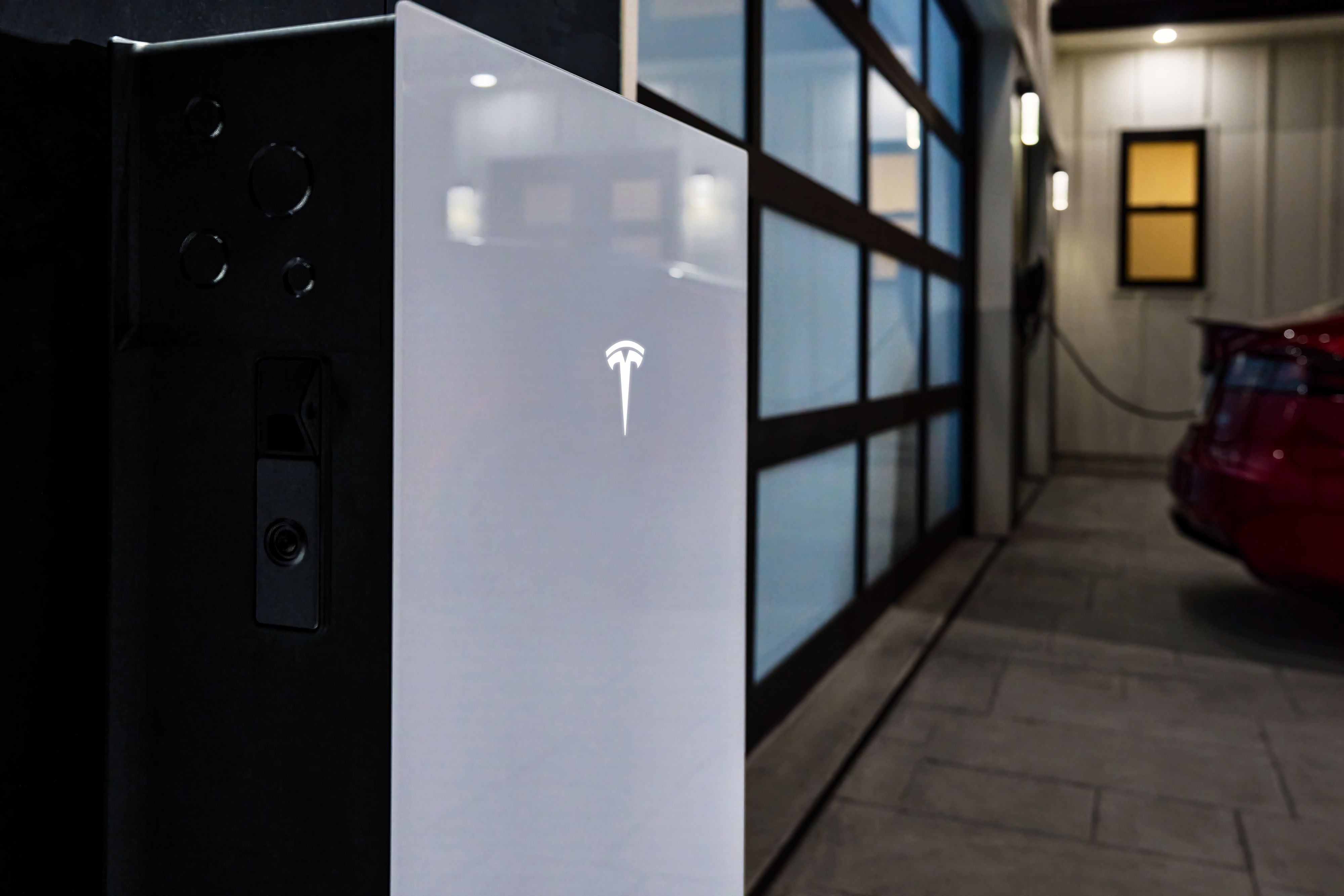


Powerwall 3 has come a long way from the initial Powerwall 1 offering. If you remember, back then the Powerwall had 6.4 kWh of capacity and provided 3.3 kWh of power. Today, the Powerwall 3 has 13.5 kWh of capacity with 11.5 kW of continuous power. The Powerwall 3 can provide a complete home battery backup for the average home, and multiple units can cover large homes with heavy energy needs. In this article, we’ll cover what the Powerwall 3 offers for backup power and energy independence.
PowerOutage.us tracked Hurricane Helene leaving 4.79 million customers without power. Some western North Carolina areas went 14+ days without restoration. For Tesla Powerwall 3 buyers weighing capacity, that duration data shows the difference between undersizing and actually staying covered for an outage.
Tesla Powerwall 3 at a glance
The Tesla Powerwall 3 is a high-capacity, all-in-one home battery storage solution. It combines energy storage with an integrated solar inverter, aligning with the broader trend toward solar-plus-storage solutions many homeowners want. But you don’t need solar panels to use it for backup electricity or time-of-use optimization.
Powerwall 3 plays a central role within Tesla’s ecosystem of solar, the Gateway, and the Tesla App. It bridges solar generation, battery storage, and home energy management into one streamlined platform.
Tesla Powerwall 2 vs. 3
Compared to the Powerwall 2, the Powerwall 3 offers higher power output and a built-in inverter, which reduces the number of components needed in a solar system. Upgrades are:
- Integrated inverter functionality for seamless solar panel connection
- Improved performance for whole-home backup (11.5 kW vs 5.8 kW continuous) with better peak power
- More streamlined installation with reduced system complexity
However, note that you can stack up to 10 Powerwall 2 units together while the Powerwall three is limited to four wired together.
How Tesla Powerwall 3 works
The Tesla Powerwall functions as a smart energy storage system, enabling homes to store excess solar energy, reduce reliance on the grid, and maintain power during outages.
Core operating principles
At its core, Powerwall 3 is a lithium-ion battery that stores electricity generated by solar panels or drawn from the electric grid. During peak usage or outages, it discharges energy to power your home. This cycle supports both solar energy storage and backup power.
You can set up the Powerwall 3 in many ways:
- No-backup configuration: Charges from the grid for time-of-use savings but does not provide power during outages.
- Grid-only with backup (no solar): Charges from the grid and supplies the home during outages using backup switching hardware.
- Solar + backup: Charges from solar and grid, powers the home during outages, and uses the integrated inverter for whole-home backup.
- Solar, no backup: Uses solar and grid power for self-consumption and time-of-use optimization but shuts down during outages.
- Multiple Powerwall 3 units: Stacks batteries to increase total capacity and continuous power for larger homes or heavier loads.
- Battery now, solar later: Installs as grid-charged storage first, with solar added later using the same integrated inverter.
Integrated solar inverter and energy flow
The built-in solar inverter in Powerwall 3 is one of its major upgrades. This eliminates the need for external inverters and simplifies installation. Compared to earlier setups with third-party inverters, the integrated design allows for:
- Faster commissioning
- Improved system diagnostics
- Reduced hardware costs
The inverter supports solar panel compatibility with both Tesla Solar and selected third-party systems, though integration with platforms like SolarEdge or Enphase may require additional coordination.
Tesla Gateway 3 vs. Backup Switch
The Tesla Backup Gateway and the Tesla Backup Switch both let the Powerwall 3 provide backup electricity, but there are some differences. The Gateway is a control center installed near the main panel. It supports energy monitoring, complex electrical layouts, multiple Powerwalls, and solar integrations, and works with a wide range of utilities.
The Backup Switch is a simpler, meter-based device that isolates a home from the grid. It has fewer components and faster installation, but it offers less configurability and is only available where utility approval allows. You have to wait for the utility company to install and service it, which can add time to the project.
Tesla Powerwall 3 specs and capacity
The Powerwall 3 offers a usable energy capacity of 13.5 kWh, with a higher continuous power output than previous models. This supports both whole-home and partial-home backup, depending on your energy needs and number of units installed. Here are the basic specs:
| Powerwall 3 specification | Detail |
|---|---|
| Usable energy capacity | 13.5 kWh |
| Continuous AC power output | Up to 11.5 kW |
| Maximum solar input (DC) | Up to 20 kW |
| Battery chemistry | Lithium iron phosphate (LFP) |
| Round-trip efficiency | 89% |
| Warranty | 10 years |
| Scalability | Up to 4 units (about 54 kWh) |
| AC voltage | 120/240 V split phase |
| Installed unit weight | 132 kg (291.2 lb) |
| Dimensions | 1105 × 609 × 193 mm (43.5 × 24 × 7.6 in) |
But how much energy does the Powerwall store, exactly? The answer depends on your home’s load. A single Powerwall can run essentials for 12 to 24 hours, while multiple units enable full-home backup during extended outages.
Say your home consumes 1.5 kW per hour on average. Divide Tesla Powerwall capacity by the load to see how long it lasts:
13.5 kWh / 1.5 kW = about 9 hours
If essential loads are reduced to 750 watts (refrigerator, lighting, Wi-Fi, outlets), runtime increases:
13.5 kWh / 0.75 kW = about 18 hours
Whole-home backup duration depends on active loads, not just battery size.
Home backup power and outage performance
Unless you use Powerwall in a no-backup setup, the Powerwall 3 provides near-instant blackout protection. If you have a power outage, the system isolates from the grid and begins supplying energy automatically.
In many cases, a Powerwall 3 can supply an entire house, especially if your system is sized correctly. For larger homes or heavier loads, it can be a good idea to connect multiple Powerwalls.
For example, with two Powerwall 3 units, you get about 27 kWh of usable electricity. If the home backup load is 2 kW,
27 kWh / 2 kW = about 13.5 hours
And with three Powerwall 3s, you get 40.5 kWh of power. With a 2 kW constant load, you get about 20 hours of backup power:
40.5 kWh / 2 kW = about 20 hours
Coninuous vs peak power
Tesla Powerwall 3 delivers enough peak power to start and continuous power to run many high-demand appliances. Below are some examples.
| Appliance | Approx. power draw (running) | Typical power surge (startup) | Can Powerwall 3 handle this?* |
|---|---|---|---|
| Refrigerator | 150–300 W | 600–1,200 W | Yes |
| LED lighting | 200 W | None / negligible | Yes |
| Internet + electronics | 150 W | None / negligible | Yes |
| Gas furnace blower | 600 W | 1,200–1,800 W | Yes |
| Well pump (intermittent) | 1,000–2,000 W | 3,000–5,000 W | Likely (depends on pump LRA/starting method) |
Total active load: 1.7 to 3.0 kW
Worst-case startup load in example: 8 kW
A single Powerwall 3 can handle 185 LRA to start up things like well pumps, but if you have multiple systems running simultaneously, you might want to think about adding a Tesla Powerwall 3 expansion pack. You can add three packs for an additional 13.5 kWh of storage each.
Smart energy management and software features
The Tesla App offers a real-time view of your home’s energy ecosystem. You can monitor solar production, battery charge, and household consumption in the app. You don’t have to be an electrician to make informed decisions about usage patterns and optimize your energy independence.
Time-based control, load shifting, and peak shaving
Time-based control features can help you avoid peak utility rates by shifting energy usage to cheaper periods. Powerwall 3 supports load shifting and peak shaving, reducing overall energy costs. When you save money by using battery power during peak times, the Powerwall 3 unit can effectively pay for itself over time. However, not all states and locations have time-of-use rates. Some have flat rate pricing, and in this case, you won’t be able to save money just by using battery power at certain times.
The best settings for Powerwall 3 depend on your utility rate structure, solar production, and daily load patterns. Tesla’s automation makes optimization easy, though.
Virtual power plant and distributed energy resources
Powerwall 3 can participate in virtual power plant (VPP) programs where available, allowing your home battery to contribute to the grid. This is part of the broader movement toward distributed energy resources.
In some regions, this integration enables participation in net metering and access to utility incentives for grid services.
Tesla Powerwall 3 cost and incentives
The cost of Tesla Powerwall 3 varies by region and installer, but generally includes:
- Battery unit only: $8,000 to $9,500
- Required Gateway/hardware: $1,000 to $1,500
- Installation (labor/accessories): $3,000 to $8,000
- Tesla Powerwall 3 cost installed: $12,000 to $16,000
Prices may be bundled with Tesla Solar or vary based on configuration complexity. Solar battery storage cost per kW generally decreases when you install more batteries in one system.
The federal residential clean energy credit has now expired. You might find some incentives depending on your state or utility company, but there’s no nationwide tax credit anymore.
The biggest incentive to use a Powerwall 3 is to take advantage of time-of-use rate structures. You can configure the Powerwall to switch on during peak times, so you only pay off-peak rates for electricity. If your electricity cost 15 cents per kWh normally but 45 cents during peak times, you could save about $1,095 per year by shifting 10 kWh worth per day. Here’s the math:
- Off-peak: $0.15/kWh
- Peak: $0.45/kWh
- Daily peak usage shifted: 10 kWh
- Daily savings: 10 kWh × ($0.45 − $0.15) = $3 per day
- Annual savings: $3 × 365 = about $1,095/year
Price out a Powerwall 3
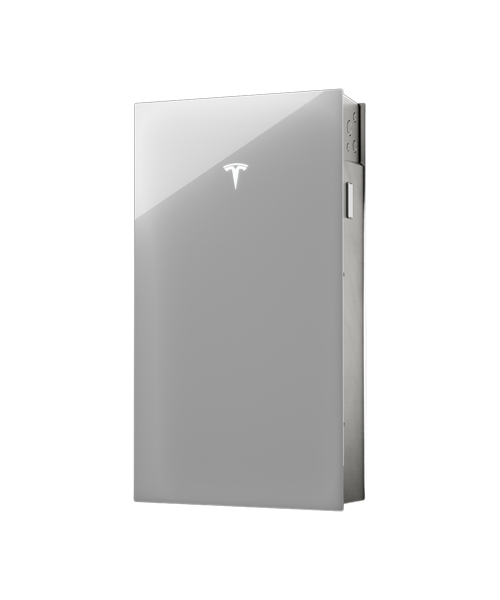
Tesla Powerwall 3 is a fully integrated home battery and solar system storing 13.5 kWh of energy, delivering 11.5 kW continuous power, whole home backup, and seamless outage protection all managed via the Tesla app.
Powerwall 3 battery with solar
Powerwall 3 pairs seamlessly with Tesla Solar, but it also supports third-party solar systems. Compatibility with SolarEdge, Enphase, and other inverter platforms is possible with the right configuration.
When integrating non-Tesla systems, work with a Tesla-certified installer to ensure correct sizing and communication between devices.
Solar-plus-storage system design
Using a Tesla Powerwall with solar panels starts with assessing your energy usage. The right number of Powerwall 3 units depends on whether you want full backup or just critical loads. A single Powerwall supports smaller homes, while larger systems may require two or three units for full coverage.
Then, your solar panel array determines how quickly Powerwall 3 recharges during daylight. Say you have a 7.6 kW solar array and an average production window of 5 peak sun hours. The daily solar output would provide:
7.6 kW × 5 hours = about 38 kWh per day
Now, the Powerwall 3 requires 13.5 kWh to recharge. This would take about 1.8 hours to recharge at full production:
13.5 kWh / 7.6 kW = about 1.8 hours
Tesla Powerwall 3 installation process
Installing Powerwall 3 usually involves a process including:
- Site assessment
- System design and permitting
- Installation and connection
- Testing and activation via Tesla App
The installation timeline typically ranges from two to six weeks, depending on your local permitting and installer availability. But as we mentioned earlier, using a Backup Switch can increase the time since you have to wait for the utility company to install it.
Tesla works with a certified installer network to ensure quality. Your local installer will handle permits, inspections, and utility approvals.
Maintenance and software updates
Tesla Powerwall 3 is nearly maintenance-free. As long as it's installed in a suitable environment (away from direct sun and moisture) performance remains consistent. Occasional software diagnostics may be run by Tesla remotely.
Software updates and feature improvements
Powerwall 3 receives over-the-air updates, just like Tesla vehicles. These updates can improve performance, add new features, or enhance grid interactivity. For example, one recent update fixed Powerwall so it wouldn’t throttle solar output when the unit got too hot. Another update allowed it to respond to fast energy price markets where changes happen every five minutes.
Tesla Powerwall 3 vs alternatives: Is it still good?
Tesla Powerwall 3 remains a benchmark home backup battery, with its 13.5 kWh of usable capacity and huge 11.5 kW continuous output. It also offes an integrated, all-in-one ecosystem that’s easy to manage.
That said, competition has intensified since the Powerwall 3 came on the market. For example, FranklinWH aPower 2 trades slightly lower continuous output for better surge performance. FranklinWH aPower 2 can also scale to an amazing 225 kWh of capacity across multiple units. Enphase IQ Battery 5P also stands out with a microinverter-based design that supports reliability and unit expansion.
Some other options like EcoFlow Delta Pro Ultra act both as portable power and fixed home backup. These batteries provide huge output when multiple units are bridged together. You can also charge them from solar, grid, generators, or EV stations for flexibility.
So, at the end of the day, Tesla Powerwall 3 is still a very strong option for home backup power, especially if you want high continuous power or an integrated solar inverter.